

Profiles and family
Your space, our space
Section titled “Your space, our space”A profile is a space for a person or a group, rather than a separate login. One account can belong to several profiles, and you can switch between them whenever you need to.
| Space | Who it’s for | What you might keep there |
|---|---|---|
| Your own profile | Just you | Personal projects, ideas, and preferences |
| The family profile | Everyone at home | Meal plans, household notes, and family routines |
| A shared project | The people taking part | A holiday, a birthday, or something you’re making |
Each profile has its own conversations, memory, skills and assistant personality. In a shared profile, everyone can pick up the same conversation, and the assistant knows who’s speaking.
Where you start
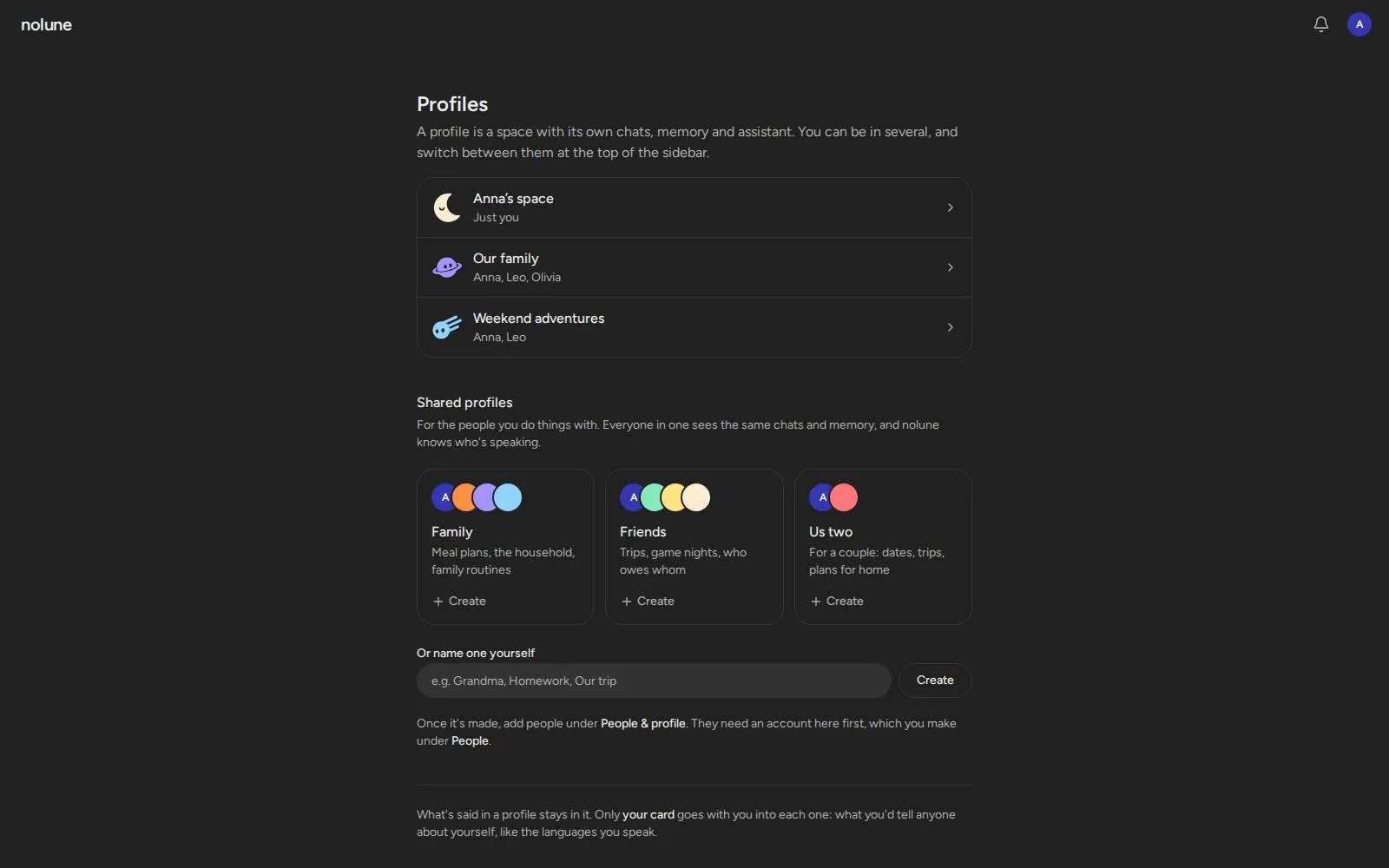
Section titled “Where you start”The first time you sign in, nolune offers you a profile of your own, named after you, and shows a few shared ones to start from: Family, Friends, and Us two for a couple. Click one and it’s made, or name one yourself. If someone added you to their profile before you signed in, it’s listed there too. Later, All profiles in the menu under your name, or New profile in the profile switcher, opens the same page.
What’s said in a profile stays in it. Only your card, what you’d tell anyone about yourself, goes with you into each one (see Memory).
Bringing someone into the family
Section titled “Bringing someone into the family”-
Give them an account. As an admin, open People from the menu under your name, then either:
- Create invite link and send it to them. They open it, pick their name, email and password, and they’re in. A link works once, for 7 days, and you can take it back.
- Or Add a person with their name and email, and send them the address and the password nolune shows you.
At the terminal,
nolune user invite Annaprints an invite link, andnolune user create Anna anna@example.commakes the account and prints a password. -
Open People & profile in the profile you want to share, and add them by name or email.
They can create their own profiles and add existing users too. Only admins make accounts; there’s no sign-up page, and joining a profile doesn’t send an email invitation.
People is also where an admin resets someone’s forgotten password, makes someone an admin, or removes an account.
Your name and picture
Section titled “Your name and picture”Click your name at the bottom of the sidebar and open Settings to change the name everyone sees, or to add a picture: pick one, drag it into the circle, zoom, and save. Messages you already sent keep the name you had then. Your picture shows next to your name in shared chats and under People & profile.
A new profile’s welcome
Section titled “A new profile’s welcome”A new profile starts with a short welcome: pick the assistant’s avatar, and bring over what ChatGPT, Claude or Gemini already knows about you (copy a prompt there, paste the answer back). On a fresh install without a model, an admin picks one there too. Its sounds can be turned off in Settings.
The assistant’s look
Section titled “The assistant’s look”There’s one assistant; each profile gives it a look of its own. Pick one in the welcome, under
People & profile, or with nolune profile avatar <name> --profile <slug>.
probecampfirelanternplanetquantumcometmoonsatellite
Each profile can tell nolune who to be for its family: its character, what it cares about, how it
talks. Write it under People & profile, or just ask nolune to be different and it updates its
own soul (~/.nolune/profiles/<profile>/soul.md). Every chat starts with it.